


LOGS 3.4 introduces major improvements in administration, deployment, and data automation. The release features a new centralized System Administration Dashboard, a redesigned Metadata Mapping UI with testing and enhanced error handling,a streamlined installation and onboarding experience,and improved support for large and continuously evolving datasets. Together, these enhancements make LOGS easier to deploy, manage, and scale while improving reliability and operational efficiency.
Overview
-
System Administration Dashboard
-
Metadata mapping UI & error improvements
-
New Installation and Onboarding Experience
-
Improved File Handling and Large Dataset Support
System Administration Dashboard
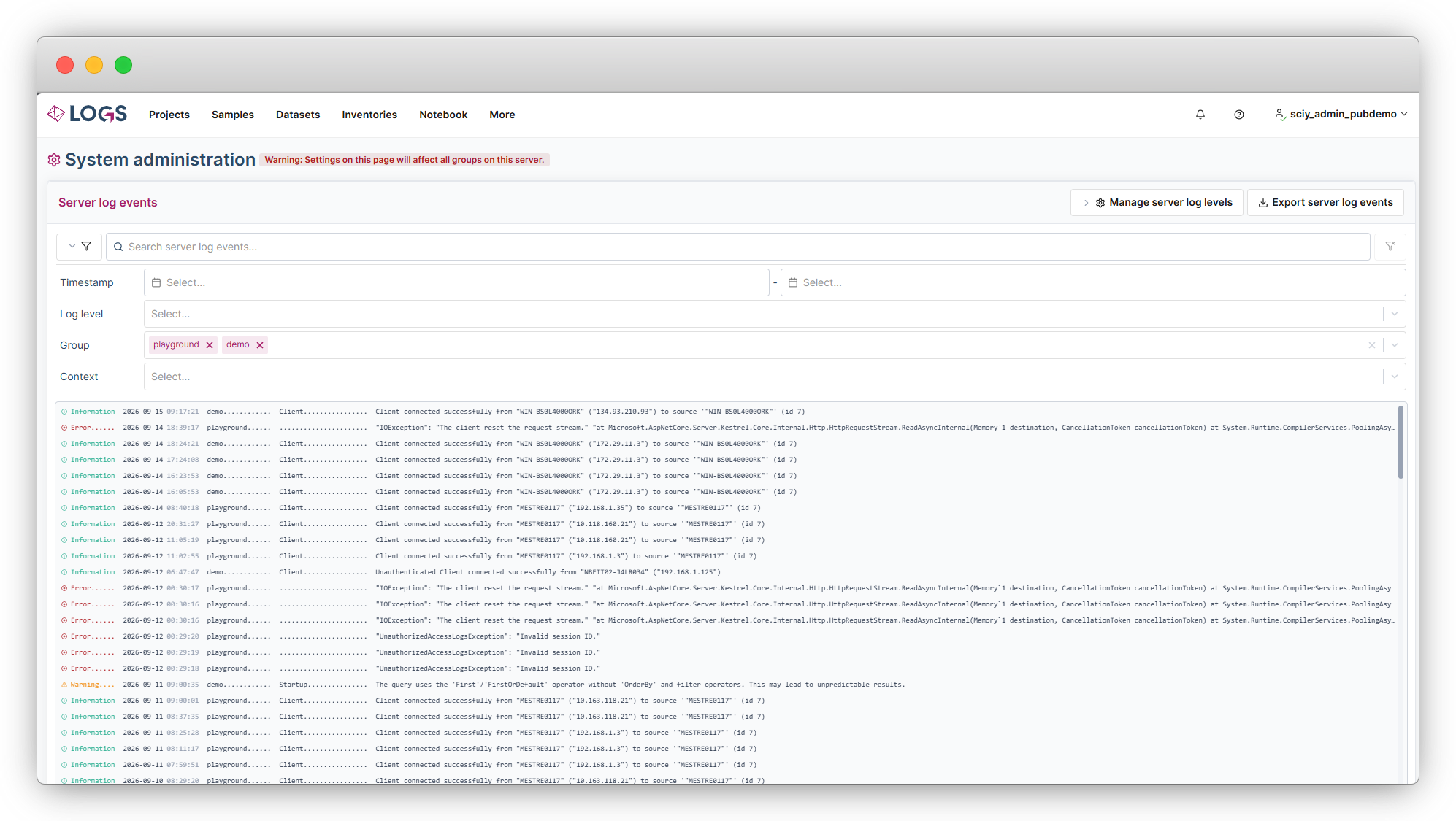
The new System Administration Dashboard gives system administrators a centralized view of their entire LOGS environment. From a single interface, administrators can view all configured LOGS Groups, monitor system health, and review error messages that may require attention. To support different operational and compliance requirements, the level of detail displayed in system error messages can be configured, enabling organizations to balance troubleshooting needs with security and information governance policies.
Metadata mapping UI & error improvements
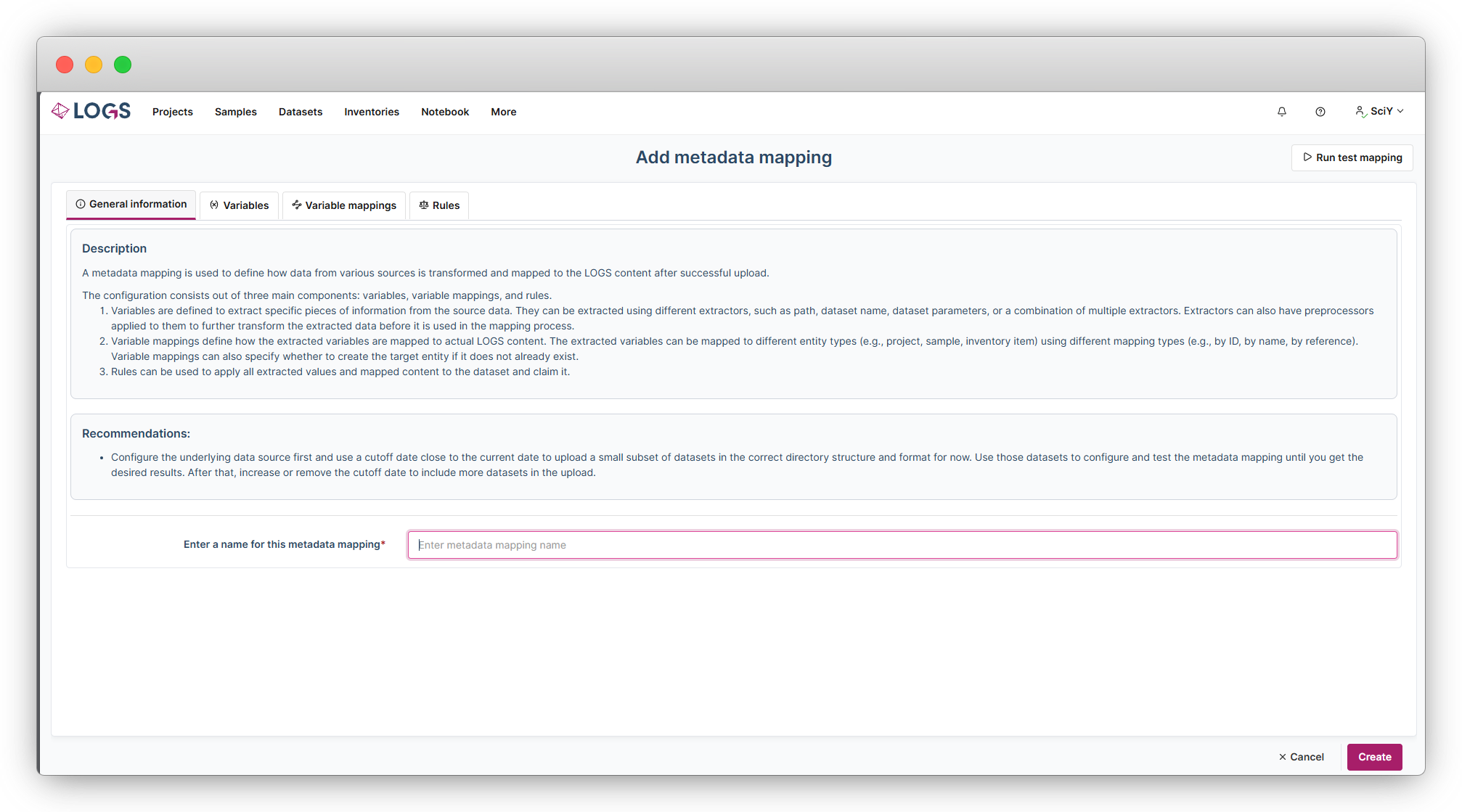
This release introduces a new graphical Metadata Mapping UI, replacing the previous text-based configuration approach. The intuitive interface guides administrators through extracting important contextual information from uploaded datasets and mapping it to LOGS entities such as projects, owners, samples, and inventory items. A built-in test run capability allows configurations to be validated before deployment, helping users verify results and reduce setup errors. In addition, enhanced error handling and more transparent validation feedback make troubleshooting easier and improve the overall configuration experience. For more information and examples please also have a look into our documentation https://logs-support.sciy.com/kb/article/335.
New Installation and Onboarding Experience
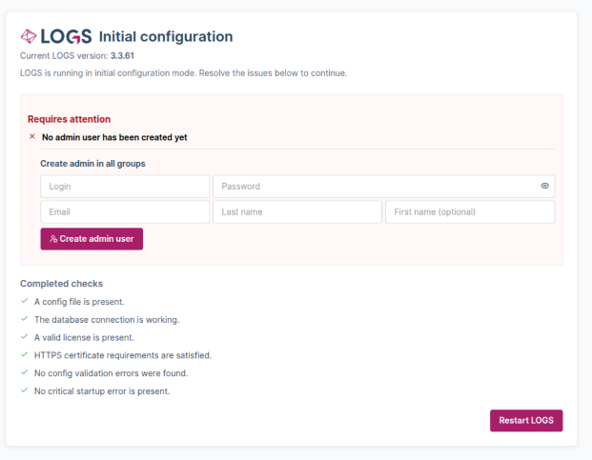
This release introduces a streamlined installation and onboarding process for new customers. An enhanced download and update experience simplifies deployment, while a new initial configuration wizard enables administrators to complete first-time setup directly through the UI. Key server settings and the initial administrator account can now be configured during installation, reducing setup complexity and accelerating time to value.
Improved File Handling and Large Dataset Support
This release introduces significant enhancements to file handling and dataset management. New support for temporary datasets and configurable dataset finalization delays helps prevent incomplete datasets from creating unnecessary versions while measurements are still in progress. In addition, a new configurable maximum upload size feature improves support for large files and complex scientific datasets.
Further Additions and Fixes
-
Metadata Mapping Enhancement: Parameters contained within tables can now be extracted and processed through metadata mapping.
-
LOGS Data Bridge Client Improvements: The client now includes a dedicated update service and rollback functionality, enabling safer and more reliable updates.
-
End of Support Notice: Support for LOGS Data Bridge Client version 2.1.2 and earlier has ended. Clients running version 2.1.2 on unsupported operating systems will not be automatically upgraded to newer releases.
-
CLI Documentation Available: Documentation for the LOGS Command Line Interface (CLI) is now available in our Knowledge Base: CLI Documentation
-
MWeb Integration: MWeb is now included with LOGS installations and can be activated with a separate MWeb license.
-
Bug Fix: Resolved an issue where the Abort action did not function correctly for data sources in a running state under certain conditions.
-
Enhanced Search Capabilities: The SearchTermIncludeCustomFieldValuesoption now supports case-insensitive searches and has been extended to include additional string-based fields such as URL, URLArray, and Barcode.
-
Custom Field Search Improvement: Added case-insensitive search support for text-based custom fields.
-
Configuration Validation Enhancement: Database names defined in configuration files are now enforced to use lowercase characters only and may contain only underscores (_) and hyphens (-).

