


We are excited to announce the release of LOGS 3.3, a major update focused on simplifying deployment, expanding platform compatibility, and strengthening interoperability across the SciY ecosystem. We’ve deepened our integrations with ZONTAL, Arxspan and Mnova to make data centric workflows easier.
What’s New in LOGS 3.3
- Native Linux and now Windows installation (dockerless deployment)
- Expanded SciY Integrations with ZONTAL, Arxspan and Mnova
- File‑update functionality for datasets
Simplified Deployment: Docker‑Free LOGS with Full Windows Support
With the LOGS 3.3 release, the platform no longer relies on Docker containers, resulting in a significantly simpler and more flexible installation process. LOGS now operates as a standalone .NET service in combination with a PostgreSQL database, enabling native deployment on both Linux and Windows systems. This modernization reduces infrastructure complexity, eliminates container‑related overhead, and allows for smoother integration into existing IT environments. As part of this transition, we have also updated the licensing system, which requires customers to update their license files. Please find an updated version of the server requirements and installation process in our documentation.
Seamless Enterprise Connectivity with ZONTAL
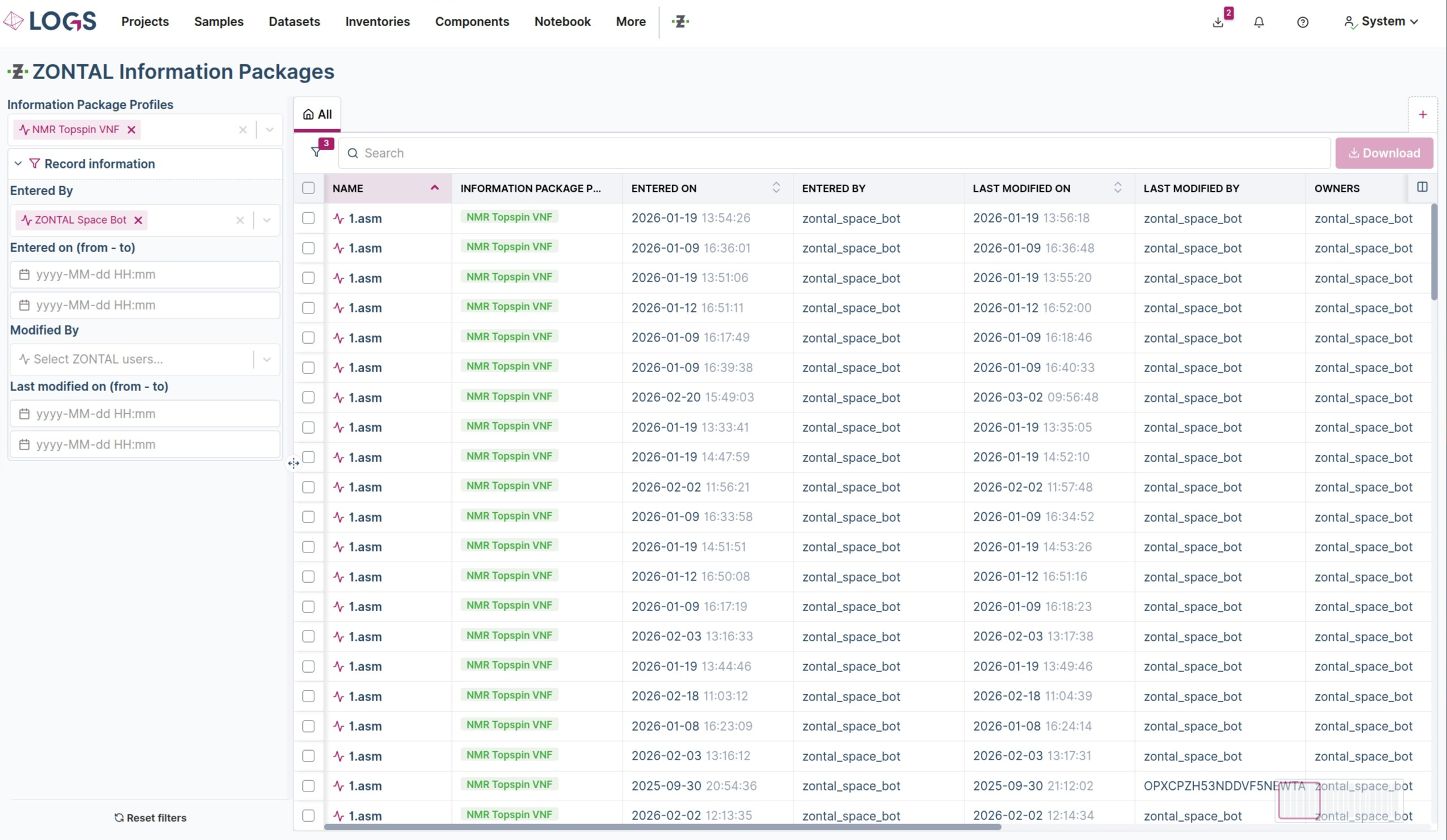
The LOGS–ZONTAL integration enables seamless data exchange between both platforms through secure push‑and‑pull mechanisms, allowing data to move effortlessly between systems. LOGS acts as the flexible, instrument‑near entry point for data capture and visualization, while ZONTAL provides the scalable, enterprise‑level backbone for cross‑site collaboration as a single source of truth. This combined approach allows customers to “start small and scale up”.
Enhanced ELN Connectivity: LOGS Integrated with Arxspan
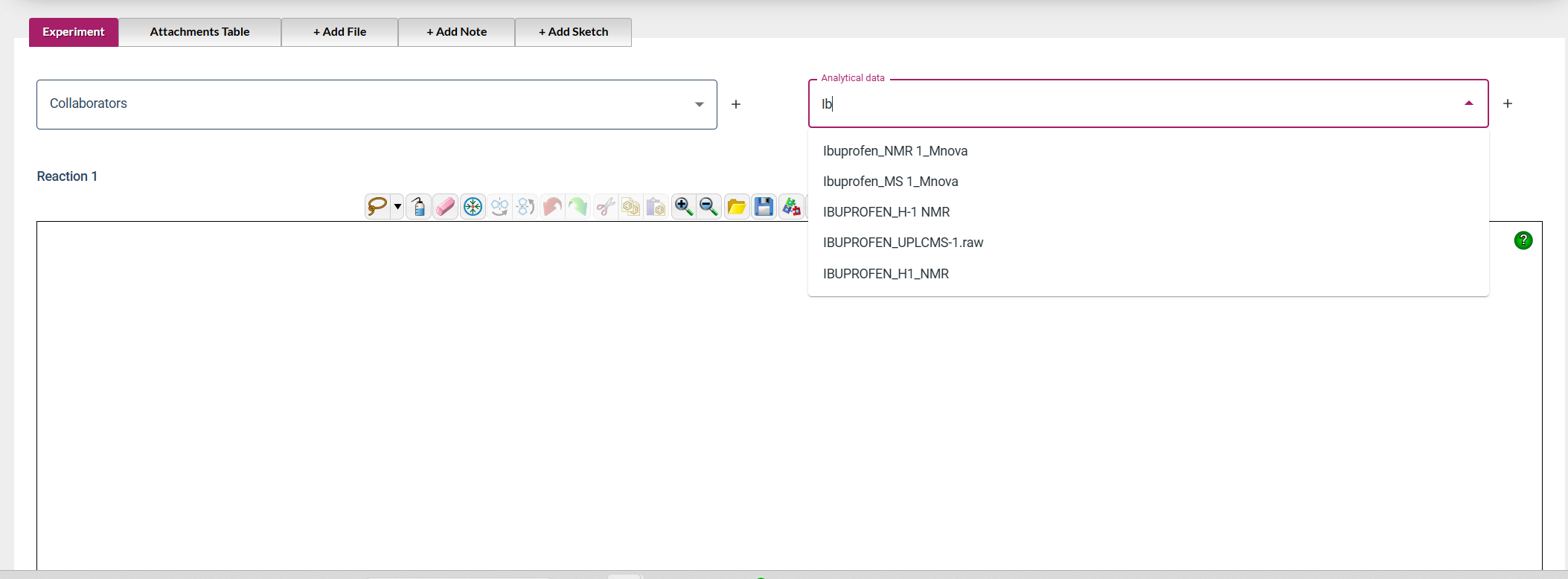
The new LOGS–Arxspan integration streamlines how experiment data is captured and referenced across systems. Arxspan Integration enables Arxspan ELN users to search LOGS datasets directly from within the ELN and insert a direct link to the corresponding measured data stored in LOGS, ensuring full traceability between experimental context and analytical results. This connection brings together Arxspan’s structured experiment documentation with LOGS’ metadata‑rich datasets, allowing scientists to move effortlessly from experiment details to the underlying analytical data.
End‑to‑End NMR & LC‑MS Workflows with Mnova
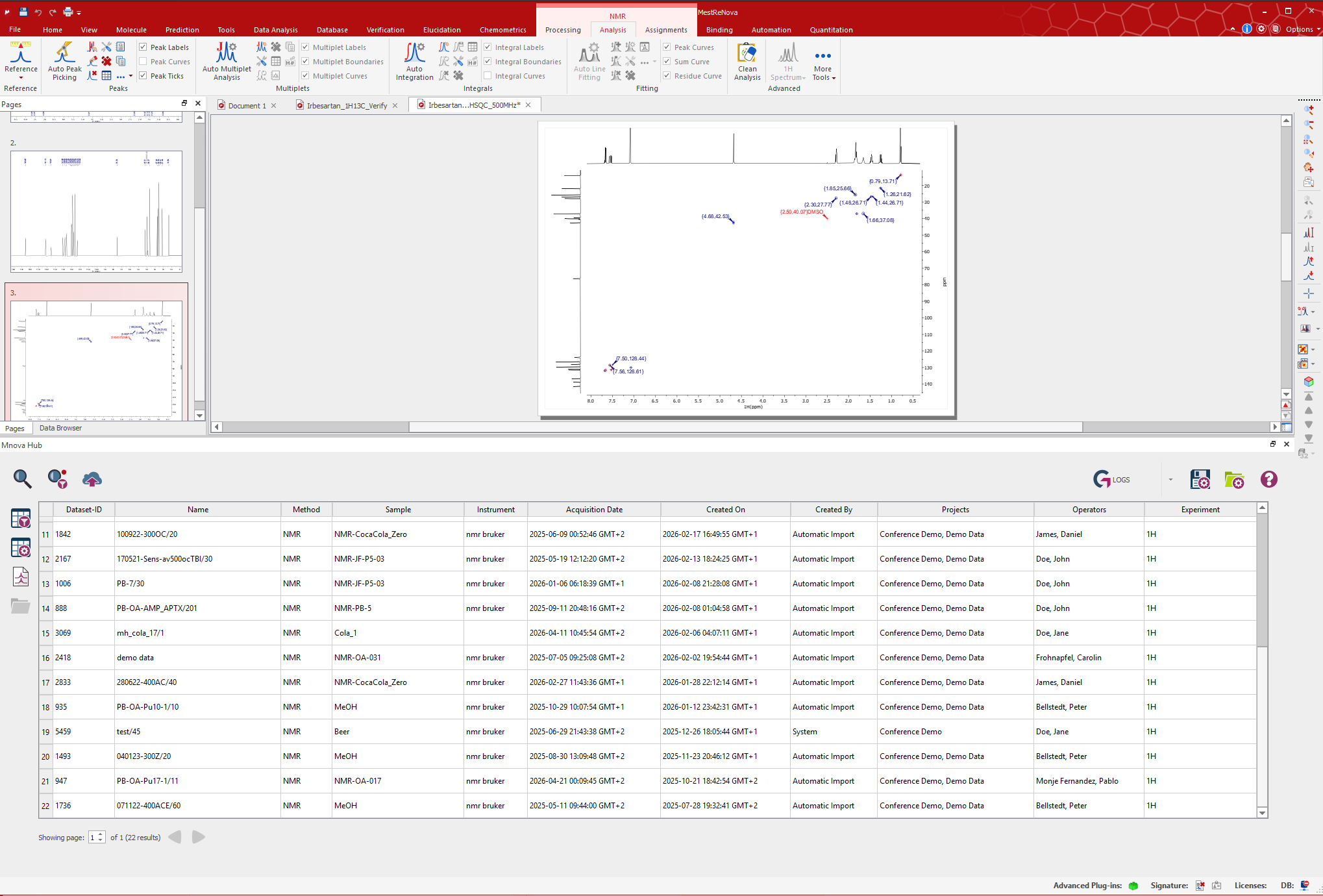
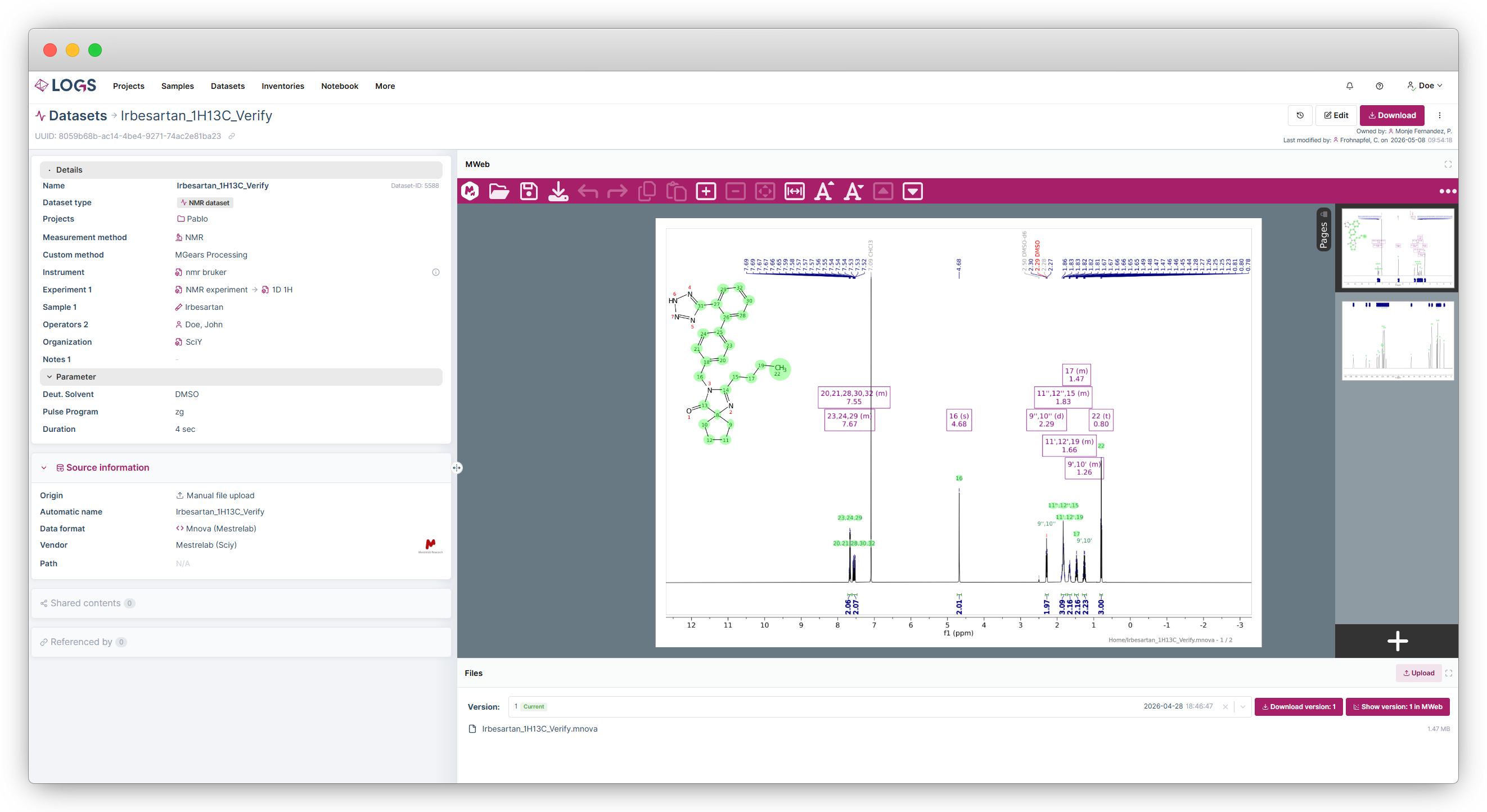
To support a seamless workflow from raw data acquisition through processing and analysis in Mnova, LOGS offers multiple integration pathways that leverage the full capabilities of the Mnova ecosystem. Within LOGS, the integrated MWeb viewer enables in‑browser visualization and basic processing of NMR and LC‑MS data—providing scientists with an immediate, browser‑based analysis experience without requiring local Mnova installations. In addition, with Mnova Hub, LOGS can exchange datasets directly with Mnova, including support for the latest Mnova 17. This allows Mnova users to pull raw data from LOGS and push processed datasets back into the system. As a result, raw and processed data remain consistently linked, ensuring a complete, traceable, end‑to‑end workflow from initial acquisition to final processed results.
Smarter File Management with Automatic and Manual Dataset Updates
In addition to the automatic update function of data sources, we have introduced a new manual file‑update capability for datasets. On each dataset detail page, an Upload button is now available in the files section, allowing you to add or replace individual files or entire folders. Any modification made through this feature automatically creates a new file version, ensuring full traceability of all changes.
New Data Formats – Highlights Only
- GC, IC, LC, MS: Chromeleon (Thermo Fisher Scientific)
- LC: Empower (Waters) and OpenLab (Agilent)
- MRI: Paravision 360 (Bruker)
- MS TIMS‑TOF: Compass HyStar (Bruker)
- NMR: ASM (Mestrelab)
- Raman: WITec and Oxford Instruments
In addition to that, we also changed the representation of our supported dataformats table. We now also show the file extension of mandatory and optional files that are needed for pattern recognition. The list can be found under More: Content: Supported data formats.
Bridge Client Platform Support Changes
As CentOS and Windows 7 have reached end‑of‑life (EOL), support for the LOGS Bridge Client on these operating systems has been discontinued. As of June 15, a newer Bridge Client version will be deployed when a system is updated to LOGS Server 3.3. Existing Bridge Client installations update automatically and will be upgraded to the new version as part of the standard update process once they connect to a LOGS 3.3 server. Systems running LOGS Server versions prior to 3.3 are not affected.
For details on supported operating systems, please refer to Installation Requirements – LOGS.
Further Additions and Fixes
We’ve also made improvements and adjustments, including:
- Viewer Export: Exported files from the viewer now automatically use the dataset name as filename and can be saved as SVG, PNG, JPEG and CSV.
- Dashboard: Dataset origin is now included in the dashboard statistics for better transparency.
- Attachments: Versions were removed from the view and the default view is now expandable instead of folded.
- Filter: Custom filters are no longer automatically toggled off when new filters are defined.
- Custom Types: A preview of an entity form was added to the custom type creator for clarity.
- Viewer: 2D data visualization improved with an updated color scheme.
- IconNMR: Support for string values in the holder field and quoted strings in history files are no longer splited.
- PDF export: Incorrect checkbox behavior in PDF export has been fixed.
- Supported Data Formats: The table now displays additional columns for software and version.
- Data Sources: The detail page now includes a “Clear cache” function.
- Bridge Client: File receiver feature added for sending files to connected clients.
- Security: Two-Factor Authentication (2FA) is now available for local accounts.
We hope you enjoy these new features and improvements. As always, we value your feedback and look forward to hearing from you ([email protected]).

