


 0
0
Audit Trail
The audit trail for an entry can be accessed from its header by selecting the watch icon in the upper‑right corner.

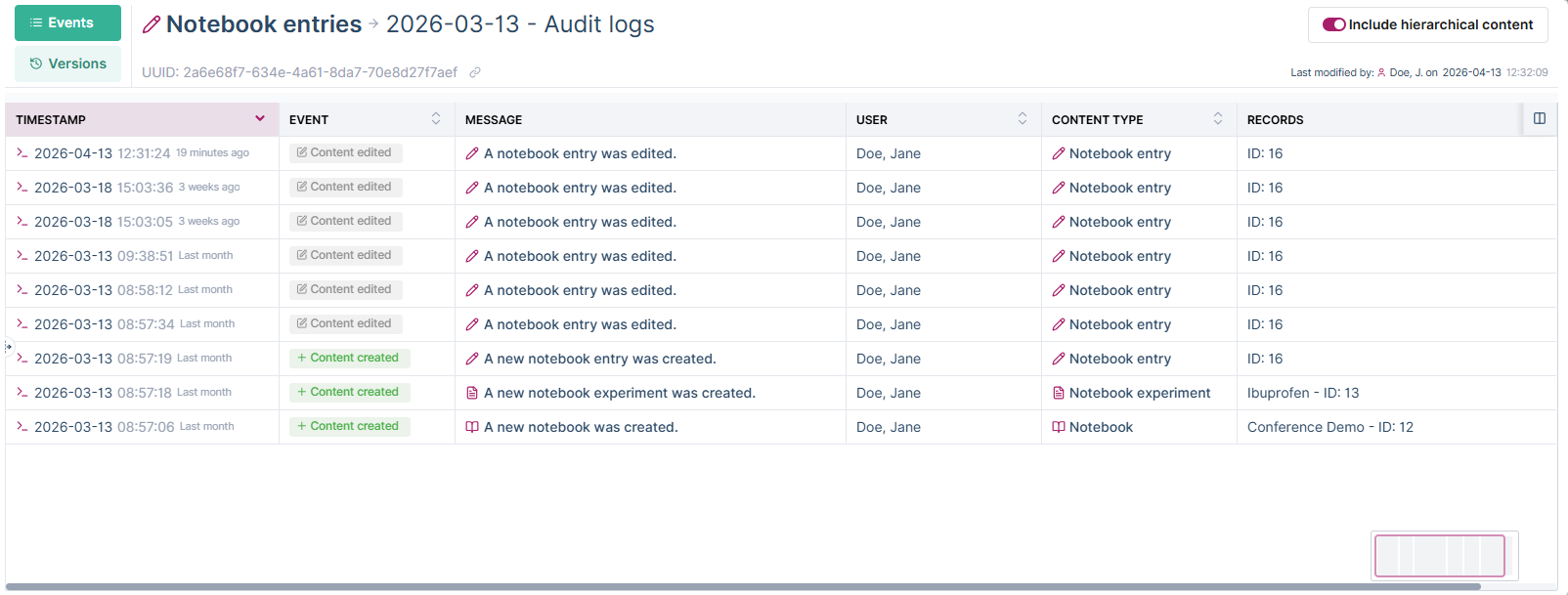
The audit trail displays all events related to the entry in a tabular view. Select an individual event to view additional details.
In the upper‑right corner, a toggle allows you to include hierarchical content. When enabled, the audit trail also shows events from the associated experiment and notebook.
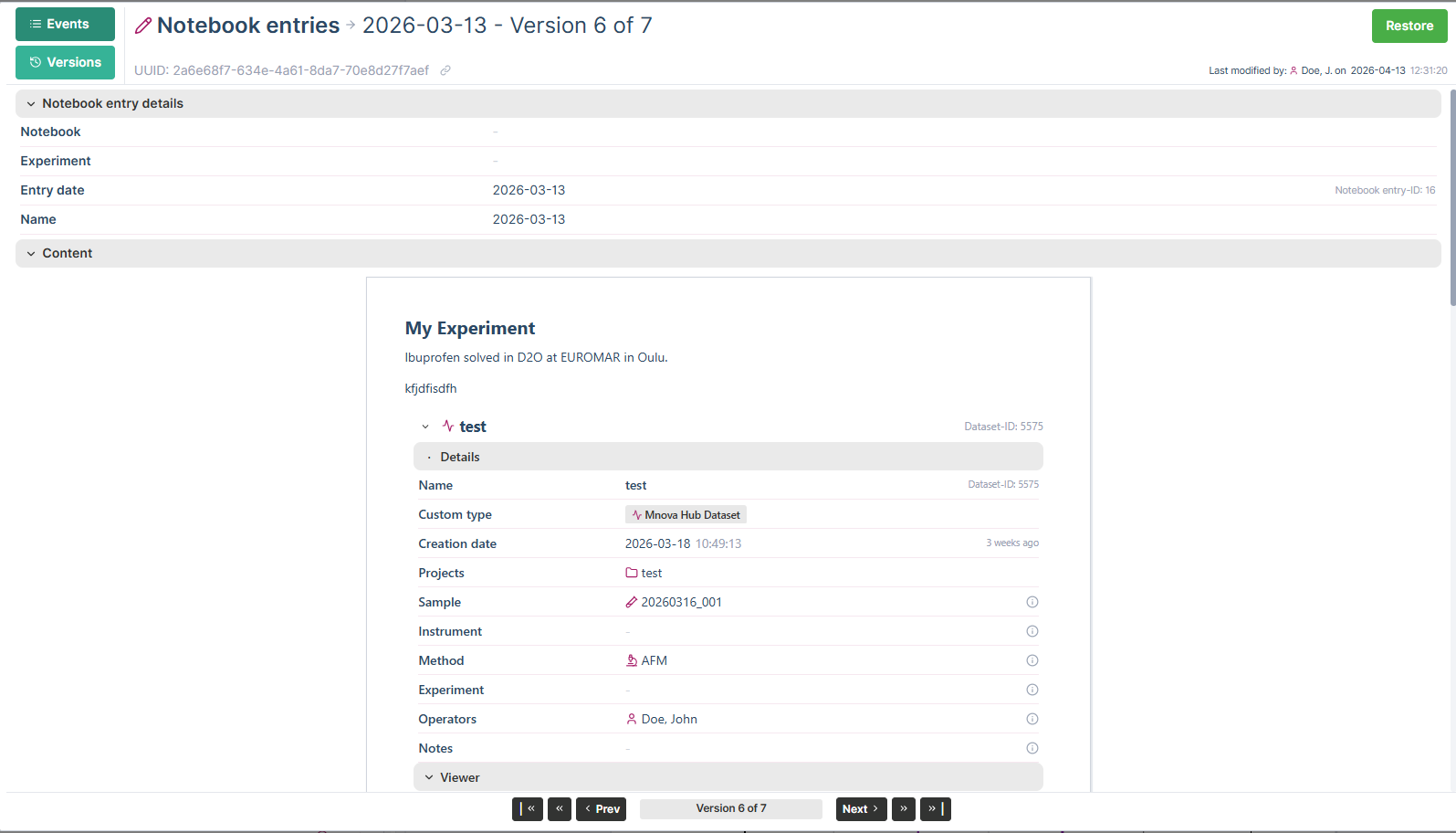
In addition to the event list, the audit trail provides access to the entry history. From there, you can view and restore previous versions of the notebook entry. Each manual or automatic save creates a new history version.
Locking
Notebooks can be locked to prevent further modifications. When a notebook is locked, its content becomes read‑only and can no longer be edited by users without unlocking it first.
Locking a notebook helps ensure data integrity and traceability, for example after completing an experiment, submitting results, or finalizing documentation. While locked, the notebook remains fully visible and auditable, including access to its audit trail and history.
E-signatures
E‑signatures can be used to formally approve and finalize notebook content. Applying an e‑signature confirms the authenticity and integrity of the entry and records who signed it and when.
Once an entry has been e‑signed, its content is protected against further changes, supporting compliance and traceability requirements. All e‑signature actions are recorded in the audit trail and remain permanently available for review.

